Micro-Interactions: Small Details, Big Impact in UX Design

We often focus on the big elements when it comes to UX design — slick layouts, smooth navigation, and standout features. But at Oliinykk Design we understand that it’s the small, often invisible details that truly make or break a user’s experience. These small moments, called micro-interactions, are the subtle animations, hover effects, and feedback responses that guide and engage users in a meaningful way.

Micro-interactions may seem tiny, but they hold tremendous power. They give users feedback, guide their actions, and create a sense of flow that makes digital experiences feel intuitive and enjoyable. Let’s explore how these small details can leave a lasting impression and elevate your design.

What are Micro-Interactions?

Micro-interactions are brief, contained moments in a digital interface that perform a single, specific task while enhancing the user’s experience. They can be found in nearly every corner of a digital product — from turning off an alarm on your phone to liking a post on social media. Micro-interactions can be visual (e.g., animations) or tactile (e.g., vibrations), and they often serve to provide feedback, direct user attention, or improve navigation.

Examples of Micro-Interactions:

  • A button changes color when hovered over, indicating it’s clickable.
  • A success animation when a user completes a task, like a checkmark appearing after form submission.
  • A notification badge showing the number of unread messages.
  • A subtle vibration when pressing a key on a virtual keyboard.
  • A loading spinner to indicate the content is being processed.

While these moments might seem inconsequential, they are the micro-elements that shape a user’s overall perception of the product. When designed thoughtfully, micro-interactions can subtly nudge users towards specific actions, reinforce brand values, and create a more enjoyable, accessible experience.

Why Micro-Interactions Matter

1. Clear Feedback & Guiding Users

Micro-interactions offer instant feedback, helping users understand the result of their actions. This eliminates uncertainty and guides them smoothly through tasks.

For example, when you click a button that changes color, you know the system is responding. When a form field turns red after an error, it’s a clear signal to fix something. These small cues make users feel in control and keep them on the right path without frustrating them.

2. Building a Strong Brand Identity

These tiny interactions also add personality to your product. They can reflect your brand’s tone whether playful, sleek, or professional — without users even realizing it. The right animation, hover effect, or feedback response can make your product feel cohesive and reinforce your brand’s identity.

For example, a playful brand might use bouncy animations, while a high-tech brand might opt for sleek, minimal transitions. These details make your website more memorable, and users will associate them with your brand.

3. Improving Accessibility and Usability

Micro-interactions also make digital products more accessible and easier to use. For users with visual impairments, audio or haptic feedback can help them navigate the product. For those who need a little extra guidance, animations can show them the way. Micro-interactions ensure that all users, regardless of ability, have a smooth, intuitive experience.

Designing Effective Micro-Interactions

The key to great micro-interactions lies in balance, and Oliinykk Design knows how to strike that balance. They should be subtle enough not to distract users but noticeable enough to enhance their experience. Here’s how to get it right:

  • Keep it simple:

Micro-interactions should be quick and to the point. Avoid over-the-top animations that could slow down the experience.

  • Make them purposeful:

Every micro-interaction should have a clear function — whether it’s guiding users, providing feedback, or showing progress.

  • Stay on brand:

Design interactions that reflect your brand’s personality. Whether it’s fun, sleek, or professional, the details should match your brand’s tone.

  • Consider accessibility:

Ensure that micro-interactions are easy to perceive for all users. This could mean offering alternative feedback, such as sound or vibration.

Conclusion

At Oliinykk Design, we know that the smallest details often have the largest impact on UX design. Micro-interactions may seem like minor components, but they play a critical role in shaping user experiences, guiding behavior, reinforcing brand identity, and improving accessibility. When designed with intention and purpose, these tiny interactions can elevate your product from functional to unforgettable.

As we continue to evolve in a digital-first world, designers must pay close attention to these subtle elements, recognizing that the success of a product often lies in the small details. Our experience shows that micro-interactions, while small, have an undeniable influence on the user experience — proof that in design, sometimes less is truly more.
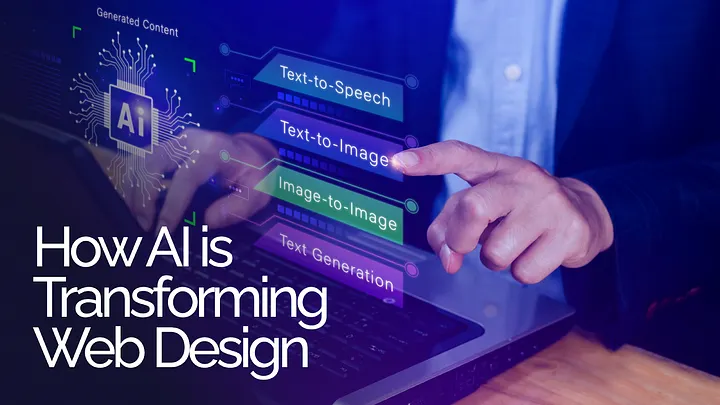
The Future of UI/UX: How AI is Transforming Web Design

Have you noticed how AI is everywhere these days? From your smart home devices to predictive text when you’re typing a message, it’s becoming part of everyday life. But have you ever thought about how it’s changing the world of web design? If not, you’re about to discover something fascinating. Imagine AI as your co-designer, helping you create more personalized and dynamic web experiences. Sounds exciting, right?

Let’s dive into how artificial intelligence is transforming web design. You might even catch yourself asking, “Could AI really make design better?”

1. Automating Layouts: Are Designers Becoming More Efficient?

Do you ever get bogged down in the nitty-gritty of designing page layouts? Hours spent adjusting alignments, resizing elements, and ensuring everything looks right across devices? What if AI could do all that for you?

With tools like Figma’s Auto Layout and Adobe Sensei, AI is now doing exactly that. Imagine AI automatically adjusting your layout based on the content you’re working with, freeing you up to focus on the more creative and strategic aspects of design. You get to be the visionary, while AI takes care of the groundwork. Doesn’t that sound like the best of both worlds?

And it doesn’t stop there. AI can even predict the best layout based on user behavior. It’s like having an assistant that knows exactly how to place elements for maximum engagement. Could AI be the key to faster, smarter design?

2. Personalization: Can AI Make Each User Feel Special?

We all know how important personalization is — nobody wants a cookie-cutter experience. But how do you make a website feel like it was made just for each visitor? This is where AI truly shines.

With platforms like Dynamic Yield and Monetate, AI can tweak content, images, and even call-to-action buttons in real time based on what it knows about the user. Imagine visiting a site and seeing content specifically tailored to your preferences. Wouldn’t that make you stick around longer?

For eCommerce, AI can recommend products based on your previous visits, just like having a personal shopper guiding you through the store. It’s personalization at a scale that humans alone could never achieve. So, are we moving towards websites that feel like they were custom-built for each person?

3. AI-Driven Feedback: How Do You Improve Without Guessing?

Ever spent hours guessing why users are dropping off at certain points in your design? AI can help solve that mystery.

Instead of manually setting up focus groups or interpreting vague feedback, AI tools like Hotjar and Crazy Egg analyze real-time user behavior. They can tell you exactly where users are getting stuck, what’s working, and what isn’t. What’s even better? These tools don’t just tell you what happened — they can predict what’s likely to happen based on the data they gather. You can improve your design iteratively, and every change you make is backed by solid evidence, not just intuition.

Could AI make design decisions smarter and more precise?

4. Conversational Interfaces: Are Chatbots and Voice UIs the Future?

We’ve all interacted with chatbots, but do you realize how much they’ve evolved? Today’s AI-powered chatbots aren’t just answering basic questions — they’re creating entire customer journeys. Tools like Dialogflow and Chatfuel are enabling websites to offer real-time, human-like support. How often have you chatted with a bot and thought, “Wait, is this AI or a real person?

Voice interfaces are also coming into play, thanks to the rise of voice search. Imagine navigating a website without ever touching your screen — just talking to it. With AI understanding and processing natural language, interacting with websites could soon feel as effortless as chatting with a friend.

Have you thought about how websites might evolve as voice commands become more common?

5. AI-Enhanced Accessibility: Could AI Make Web Design More Inclusive?

Designing accessible websites can sometimes feel overwhelming, but what if AI could assist you in making your designs more inclusive? AI is already being used to automatically generate alt text for images, flagging color contrast issues, and even offering real-time language translations. Tools like Microsoft’s AI for Accessibility are helping designers meet accessibility standards without tons of manual effort.

Does this mean AI is making web design more democratic, allowing everyone, regardless of ability, to engage with online content?

6. Predictive Design: Is AI the New Creative Partner?

Let’s go one step further — could AI help design the future of web design itself? With predictive design, AI could analyze everything from current trends to user data and offer suggestions on color schemes, typography, and layouts that would perform best.

It’s not about AI replacing creativity, but enhancing it. AI can sift through data, while you focus on making the design beautiful and meaningful. Imagine working with an AI tool that understands what makes users tick and offers design suggestions that are backed by data. Wouldn’t that make the design process more informed, yet just as creative?

Is AI Here to Stay in Web Design?

As we see AI becoming more deeply integrated into the world of web design, one thing is clear — it’s not here to take over but to assist. From speeding up repetitive tasks to delivering personalization at a massive scale, AI is the ultimate co-designer.

The future of UI/UX is bright, and AI is poised to play a pivotal role in shaping the next generation of web design. Now is the time to explore how AI can elevate your design processes and how U1Core Bureau helps you create more impactful and dynamic user experiences.

As you ponder that, it’s worth asking: How far could AI take web design in the future, and what will be the role of human creativity in this evolving partnership?

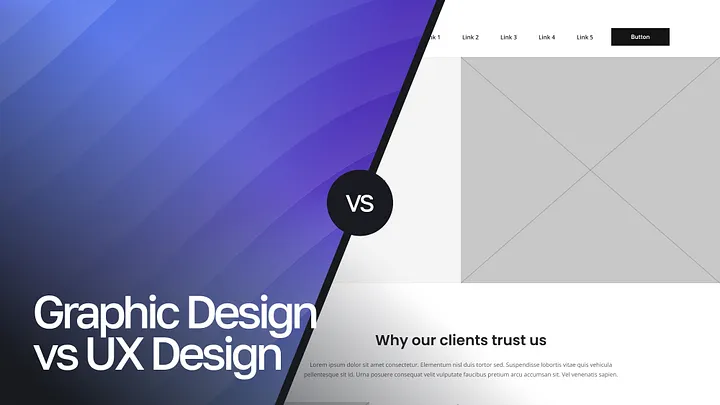
UX Design vs. Graphic Design: What Sets Them Apart?

When discussing digital design, terms like UX design and graphic design often come up, sometimes being confused or used interchangeably. At U1CORE, we understand that while these fields share some foundational elements, they serve distinct purposes and contribute differently to the design process. Let’s dive into what differentiates UX design from graphic design and how each plays a vital role in crafting outstanding products.

What is UX Design?

User Experience (UX) design focuses on creating a seamless and intuitive journey for users as they interact with a product. The core aim of UX design is to enhance user satisfaction by improving usability, accessibility, and the overall enjoyment derived from the product. It’s not just about aesthetics but how a product functions and feels to the user.

Key aspects of UX design include:

  • User Research: This is the backbone of UX design, involving studies to understand user behavior, needs, and motivations. Methods include user interviews, surveys, behavioral data analysis, and persona creation to inform design decisions.
  • Information Architecture: This involves structuring content logically so that users can find what they need effortlessly. Techniques such as card sorting, tree testing, and sitemaps help establish an intuitive flow.
  • Wireframing and Prototyping: These are crucial for mapping out a product’s layout and functionality. Wireframes are simplified representations showing element placement, while prototypes simulate interactions for testing.

Usability Testing: Early user feedback through testing identifies problems and informs iterative design improvements, minimizing risks and costs later in development.

What is Graphic Design?

Graphic design is centered on visual communication and aesthetics. It aims to create visually appealing graphics that convey messages, evoke emotions, or represent a brand. Graphic design spans many contexts, from print materials and advertisements to branding and digital design.

Key elements of graphic design include:

  • Typography and Color Theory: Designers use fonts and color palettes to create impactful visuals and evoke specific emotions. Effective color schemes strengthen brand identity and emotional connection.
  • Layout and Composition: The arrangement of elements on a page or screen ensures a harmonious design that effectively conveys information. Visual hierarchy and strategic use of space are crucial.
  • Illustrations and Icons: Graphics add context and character, making content more engaging. Icons provide quick visual cues for navigation.
  • Branding: Establishing a company’s visual identity through logos, color schemes, and fonts that resonate with the target audience and build recognition.

How UX Design and Graphic Design Work Together

Despite their distinct focuses, UX and graphic design often overlap and complement each other in product development. While UX ensures that a product is user-friendly and functional, graphic design guarantees it’s visually appealing and on-brand.

For example, in creating a website, UX designers develop the navigation structure and make sure buttons are easy to click and pages load efficiently. Graphic designers, on the other hand, enhance the aesthetic appeal with cohesive color schemes, typography, and iconography.

Key Differences Between UX Design and Graphic Design

1. Purpose and Focus

  • UX Design: Aims to optimize user interactions with the product, emphasizing functionality and user-centric solutions over visual form.
  • Graphic Design: Prioritizes aesthetics and how visual elements convey a message or brand identity.

2. Tools and Techniques

  • UX Designers use tools like Figma, Adobe XD, and Sketch for wireframing and prototyping, along with platforms for user testing to refine functionality.
  • Graphic Designers typically work with Adobe Illustrator, Photoshop, and InDesign to create high-quality, visually compelling graphics and branding materials.

3. Metrics for Success

  • UX Design is measured by user satisfaction, task efficiency, conversion rates, and user retention.
  • Graphic Design success is evaluated by visual impact, engagement, brand recall, and how well it conveys the intended message.

Why Does the Difference Matter?

Understanding these differences helps businesses and design teams make better choices when building products and teams. Hiring the right professional for the right job ensures more successful project outcomes. For example, a UX designer is ideal for creating an intuitive user flow for a new app, while a graphic designer is best suited for developing promotional visuals and branding assets.

Conclusion

While UX design and graphic design might appear similar at first glance, they differ in goals, processes, and outcomes. UX design centers around functionality and the user’s needs, crafting products that are not just usable but delightful. In contrast, graphic design emphasizes visual storytelling and branding to create appealing, recognizable, and emotionally resonant content.

At U1CORE, we believe that integrating both disciplines leads to products that are functional, cohesive, and visually captivating. Recognizing the strengths of each ensures a balanced design approach that turns a concept into a user-centric and memorable product.

How Can Startups Avoid Design Mistakes?

Startups often begin with boundless enthusiasm, but in the rush to bring an idea to life, many overlook the importance of effective design. A strong design strategy is more than just aesthetics — it’s the foundation of a brand’s success. Let’s explore five common design mistakes startups make and how to avoid them. U1CORE will share common issues to help you avoid them based on our own experience.

1. Bad Branding: Your First Impression Matters

Your brand is more than just a logo or a color palette. It’s the emotional connection people have with your product or service. Many startups either underestimate the importance of branding or rush to create something generic. This often leads to forgettable identities that fail to stand out.

How to avoid it:

  • Invest in professional branding early on.
  • Understand your target audience and craft a brand identity that resonates with them.
  • Create a consistent style guide to ensure cohesive visuals across all platforms.

A well-designed brand builds trust and recognition, which is invaluable for growth.

2. Poor User Experience: Frustration Drives Users Away

A product can look stunning but still fail if it’s hard to use. Poor navigation, slow loading times, and unclear interfaces are among the top reasons users abandon a product.

How to avoid it:

  • Conduct user testing to gather feedback from real users.
  • Prioritize simplicity and clarity in your design.
  • Focus on accessibility to ensure your product serves a diverse audience.

A seamless user experience keeps customers engaged and encourages loyalty.

3. The “Long Lunch” Problem: Lack of Speed

Startups need to move fast to outpace competitors and meet market demands. However, poor design workflows can slow everything down. Whether it’s endless revisions or unclear design briefs, delays cost you time and money.

How to avoid it:

  • Define a clear design process with timelines and milestones.
  • Use collaborative tools like Figma or Adobe XD to streamline iterations.
  • Avoid perfectionism; aim for a minimum viable product (MVP) that can be improved over time.

Agility in design ensures you stay ahead without compromising quality.

4. Lack of Value: Design Without Purpose

A common pitfall is focusing on flashy features or trends without addressing user needs. No amount of beautiful design can compensate for a lack of meaningful value.

How to avoid it:

  • Identify the core problems your product solves.
  • Use data-driven insights to inform your design decisions.
  • Regularly revisit your user feedback to ensure you’re on the right track.

Remember, a design that doesn’t serve a purpose is just decoration.

5. Desire to Do Everything at Once: Spreading Too Thin

Startups often fall into the trap of trying to appeal to everyone or launching with too many features. This can overwhelm users and dilute your product’s impact.

How to avoid it:

  • Start small and focus on a niche.
  • Prioritize features based on user needs and business goals.
  • Use iterative design to grow your product organically.

By doing less, you can achieve more with greater focus and clarity

Conclusion: Design as a Strategic Advantage

Avoiding these common design mistakes isn’t just about looking good — it’s about creating a brand and product that users love and trust. Thoughful design helps you stand out, build loyalty, and schive long-term success.

Startups that prioritize smart design decisions from the beginning will have a competitive edge. So, take a step back, focus on your users, and let design guide your way to success.

By the way, even more tips you may find on our YouTube video!

https://cdn.embedly.com/widgets/media.html?src=https%3A%2F%2Fwww.youtube.com%2Fembed%2FUMA2rVYDIo0%3Ffeature%3Doembed&display_name=YouTube&url=https%3A%2F%2Fwww.youtube.com%2Fwatch%3Fv%3DUMA2rVYDIo0&image=https%3A%2F%2Fi.ytimg.com%2Fvi%2FUMA2rVYDIo0%2Fhqdefault.jpg&type=text%2Fhtml&schema=youtube

Do you have any design mistakes to share? Let’s discuss them in the comments!

By the way, these and other problems that may occur we have discussed in our video on YouTube. Subscribe to be on the top!

We will discuss how bad branding poor user experience lack of speed and other features may chock your business with real cases!

The Biggest UX/UI Trends for 2025

As we move deeper into the digital age, UX/UI Design continues to shape how businesses connect with users. Whether you’re a startup finding your footing or an established business aiming to innovate, staying ahead of the latest trends is crucial. At U1CORE, a UX/UI design agency, we’ve identified the top trends for 2025 that are sure to transform the industry. Let’s dive in!

Why These Trends Matter

In today’s competitive landscape, it’s not enough to have a standout design; you need strategic, user-centric solutions. The trends we’ll discuss go beyond aesthetics — they solve real problems, enhance user experiences, and help businesses stay relevant. By aligning your projects with these innovations, you’re not just meeting user expectations; you’re exceeding them.

If you’re more of a visual learner, check out our detailed breakdown of these trends in our latest YouTube video.

We specialize in UX/UI and Web Design and would be happy to help you bring all your ideas to life. Check out the U1CORE website to learn more!

1. Hyper-Personalized Experiences

Personalization is no longer a luxury; it’s an expectation. Leveraging AI and user data, designers can create dynamic, tailored experiences that adjust to individual preferences in real-time.

Example: In one of our e-commerce projects, we implemented AI-driven recommendations that adapted to user behavior. This resulted in a significant boost in engagement and sales. Want to see how we did it? Watch our YouTube video for the behind-the-scenes process.

2. Problem-Solving Focus

UX/UI design in 2025 will prioritize solving real-world problems over purely aesthetic improvements. Simplified workflows and intuitive navigation are at the core of this trend.

Example: For a retail app, we reduced unnecessary steps in the checkout process, leading to faster transactions and improved conversion rates. Learn more about this project on our YouTube channel.

3. Eco-Driven Design

Sustainability is not just a buzzword; it’s a growing user demand. Eco-friendly design includes dark modes, optimized apps for lower energy consumption, and thoughtful digital minimalism.

Example: For TeamPurple, we implemented features like dark mode and energy-efficient optimizations. These changes not only reduced battery usage but also aligned with users’ values.

4. Neurodesign Principles

Neurodesign focuses on how the brain processes information, making interfaces more intuitive and less cognitively demanding.

Example: In a financial app, we simplified the navigation and enhanced visual cues, leading to higher user retention and satisfaction. Want to dive deeper? Check out our video that explains neurodesign in action.

5. 3D & Immersive UI

With advancements in AR/VR, 3D interfaces are creating more engaging and interactive user experiences.

Example: In a recent AR project, we developed a product try-on feature, giving users a hands-on shopping experience. This innovation not only boosted user engagement but also drove higher sales conversions.

6. Advanced Accessibility

2025 will see accessibility move beyond compliance to a more inclusive approach. Designs will increasingly accommodate a broader range of abilities.

Example: For a healthcare app, we introduced customizable font sizes and high-contrast color schemes, making the app more user-friendly for individuals with visual impairments.

https://cdn.embedly.com/widgets/media.html?src=https%3A%2F%2Fwww.youtube.com%2Fembed%2FFjwhY-27o48%3Ffeature%3Doembed&display_name=YouTube&url=https%3A%2F%2Fwww.youtube.com%2Fwatch%3Fv%3DFjwhY-27o48&image=https%3A%2F%2Fi.ytimg.com%2Fvi%2FFjwhY-27o48%2Fhqdefault.jpg&type=text%2Fhtml&schema=youtube

Final Thoughts

These trends are paving the way for the future of UX/UI design. By embracing them now, you’ll ensure your business stays ahead of the curve and continues to deliver exceptional user experiences.

Which trend excites you the most? Let us know in the comments! For a more detailed analysis, including practical examples. And if you’re ready to integrate these trends into your next project, let’s connect. We specialize in UX/UI and Web Design and would be happy to help you bring all your ideas to life. Check out the U1CORE website to learn more!

Why Your Beautiful Design Isn’t Converting: The Psychology Behind Effective UX/UI

It’s easy to fall in love with a visually stunning design. A sleek color palette, elegant typography, and striking imagery can captivate anyone’s attention. But here’s the truth: beauty alone isn’t enough to convert users. If your design isn’t meeting its business goals, the issue likely lies beyond aesthetics. Let’s explore why even the most beautiful designs can fail and how applying psychology-backed principles can turn things around.

The Problem with “Just Beautiful”

A design that prioritizes appearance over functionality risks frustrating users rather than engaging them. It’s not just about looking good — it’s about guiding users seamlessly toward actions that fulfill their needs and align with your business objectives. When conversions aren’t happening, it’s often due to a disconnect between the user experience (UX) and the visual design (UI).

Think of it like this: a luxurious sports car might look incredible, but if the controls are confusing or it’s uncomfortable to drive, how many people will buy it?

Key Psychological Principles for Better Conversions

To make your design not only beautiful but also effective, you need to incorporate the following psychological principles:

1. Hick’s Law

The Principle: The more choices a user has, the longer it takes for them to make a decision.

The Problem: Overloading users with options (e.g., too many buttons, links, or CTAs) leads to analysis paralysis, causing them to leave your site without taking any action.

The Fix: Simplify your design by prioritizing key actions. For example, a well-designed e-commerce site like Amazon ensures users are guided through a straightforward checkout process without unnecessary distractions.

2. The Aesthetic-Usability Effect

The Principle: Users tend to perceive aesthetically pleasing designs as easier to use.

The Problem: While beauty creates a positive first impression, it can mislead designers into thinking usability isn’t as critical.

The Fix: Combine beauty with functionality. Test your designs thoroughly to ensure they’re intuitive, not just attractive. For example, Apple’s product pages are visually stunning but also guide users effortlessly through product details and purchase options.

3. Fitts’s Law

The Principle: The time it takes to click a target is a function of the distance to the target and its size.

The Problem: Small buttons or poorly placed interactive elements make it harder for users to complete actions.

The Fix: Make important buttons large and easy to click, especially on mobile devices. For instance, primary CTAs (like “Buy Now” or “Sign Up”) should be prominent and positioned where users naturally look.

4. Cognitive Load

The Principle: The human brain has limited capacity for processing information.

The Problem: Cluttered interfaces or too much text can overwhelm users, leading them to abandon your site.

The Fix: Embrace white space and focus on clear, concise content. Break information into digestible chunks and use visuals strategically to guide the user’s journey.

Real-World Example

Take the website U1COREwhich specializes in UX/UI and web design. Every design decision is rooted in functionality and user behavior. By incorporating principles like Hick’s Law and Fitts’s Law, the layouts not only look stunning but also drive conversions by offering seamless navigation and clear CTAs. This balance of form and function is key to success.

Actionable Takeaways

If you want your design to convert effectively, remember these key steps:

  1. Simplify the experience: Prioritize what truly matters to your users.
  2. Test usability: Beauty is subjective, but usability isn’t.
  3. Leverage psychology: Use principles like Hick’s Law and Fitts’s Law to optimize interactions.
  4. Iterate constantly: Design is never done. Test, refine, and improve based on user feedback.

A visually appealing design is a powerful tool, but it’s not the endgame. By weaving in the psychology of user behavior and aligning your design with clear business objectives, you can transform your “pretty” website into a conversion powerhouse.

What’s your biggest challenge when balancing aesthetics and usability in design? Let us know in the comments or visit U1CORE to explore how we can help optimize your digital presence.

How Not to Get Lost in the Job Market and Choose a Role with the Right Mindset

Today’s job market is overflowing with opportunities: big corporations, startups, hybrid setups, full remote. There’s no shortage of options.

But with more choice comes more anxiety:
“Am I choosing the right one?”
“Will this job mess with my life balance?”
“What if I burn out again in six months?”

Choosing a job today isn’t just about employment. It’s about your lifestyle. And your mindset is the compass that keeps you from getting lost.

Mindset is more than just thoughts.

It’s a way of thinking — how you see yourself, others, and the world.
It’s your internal setting: do you believe you can learn new things? Do your thoughts embrace growth, or do they shut the door on change?

Mindset is quiet but powerful. It shapes your decisions, your reactions, and even the limits you place on yourself.

In life and especially in work, mindset is crucial.
It determines whether you stop after failing, or whether you learn and grow. It helps you see crises as opportunities rather than collapses.

People with open, flexible thinking learn faster, collaborate better, aren’t afraid of change, and grow more quickly in their careers. That’s why modern companies focus so much on nurturing the right mindset — where development is encouraged, initiative is welcomed, and people are valued not only for outcomes, but for their drive.

Choosing a job today is more than just submitting a résumé.
In the past, things were simpler: find a stable employer, stick around, and climb the ladder.

Now, your job has to match your professional goals and your personal values and life rhythm.

You could have the “perfect” job and still feel empty.
Or you could join a company that genuinely supports work-life balance, personal development, and care — and thrive like never before.

That’s why job choice today is really about a bigger question:
“What kind of life do I want to build?”

So how can you choose wisely?

Start with yourself. Understand which values are non-negotiable for you — freedom, support, growth, stability. Make a list of what matters most.

Look deeper into companies. Beyond websites, check real employee reviews, social media culture, and talk to people you trust.

Don’t be blinded by salary or brand names. A shiny logo doesn’t mean happiness. Focus on real working conditions — whether people are respected and if balance truly exists.

Pay attention to how you feel in interviews. Are you comfortable asking questions? Do the answers feel honest?

Ask what really matters:
How is work-life balance supported?
Is taking time off normal and pressure-free?
What does a regular workday look like?

Give yourself space to think after receiving an offer. Don’t rush — listen to your gut. If doubt grows, that’s a signal.

And most importantly, remember: a job is a partnership.
You’re not just asking for work — you’re offering your time, skills, and energy. You deserve to choose an employer who truly values you.

How AI Is Reshaping the IT Industry — and Why the Future Still Looks Bright

How AI Is Reshaping the IT Industry — and Why the Future Still Looks Bright

The rapid rise of artificial intelligence is transforming every corner of the tech world — and the IT industry is at the forefront of this seismic shift.

From automating code to redefining workflows, AI is changing how work gets done, who does it, and what skills are most valuable.

But here’s the surprising truth:
Despite all the disruption, the future of IT isn’t fading — it’s expanding.

AI is Changing the Rules of the Game

In just a few short years, tools like ChatGPTGitHub Copilot, and other generative AI platforms have completely reshaped what developers, analysts, and IT professionals are capable of.

  • Repetitive coding tasks? Automated.
  • Data analysis? Faster, smarter, and more accessible.
  • Infrastructure management? Now guided by AI-driven optimization tools.

These are not small tweaks — they’re major shifts.

Of course, change brings uncertainty. Many worry that automation could replace traditional IT roles like developers, sysadmins, or QA engineers.

But that’s just one side of the story.

The Demand Is Shifting — Not Disappearing

Let’s be clear: AI doesn’t eliminate jobs. It transforms them.

We’re seeing a clear evolution in the industry. Yes, the need for manual, repetitive tasks is decreasing — but the value of strategic thinking, creative problem-solving, and human-AI collaboration is rising fast.

Today’s IT professionals aren’t just expected to write code — they’re expected to understand how to work with AI to build smarter, more adaptive systems.

This shift is already spawning new roles, like:

  • AI integration specialists
  • Machine learning engineers
  • Prompt engineers
  • Data ethicists

We’re also seeing hybrid roles take off — where tech meets business strategy — like AI product managers and consultants helping companies adapt AI across departments.

New Opportunities in Unexpected Places

As AI becomes a built-in part of the modern tech stack, the demand for IT professionals is spreading far beyond traditional tech companies.

Industries like:

  • Healthcare
  • Logistics
  • Education
  • Manufacturing

are all investing in AI — and they need people who can implement, manage, and scale these tools responsibly.

Even better? The barriers to entry are lowering.
With AI handling much of the “heavy lifting,” junior developers and newcomers to IT can contribute earlier and grow faster.

This means the tech world is becoming more inclusive, more dynamiс — and more open to fresh talent than ever before.

The Mindset Shift: From Coder to Collaborator

Perhaps the biggest transformation in IT is a mindset one.

We’re moving from “pure coding” to collaboration with intelligent systems.

The most successful IT professionals in this new era won’t just be great with code — they’ll be:

  • Excellent communicators
  • Curious learners
  • Adaptable thinkers

They’ll understand both the technology and the real-world context in which it’s being used. And most importantly — they’ll know how to bridge the gap between machine capabilities and human needs.

This Is Just the Beginning

Yes, AI is changing the rules. But it’s not closing doors — it’s opening them.

For those willing to adapt, learn, and embrace new tools, the IT industry has never been more full of opportunity.
This is not the end of tech jobs — it’s the start of something even bigger.

If you’re in IT or thinking about joining the field, now is the time to lean in.
Because the future isn’t just coming — it’s already being built.

By people like you.

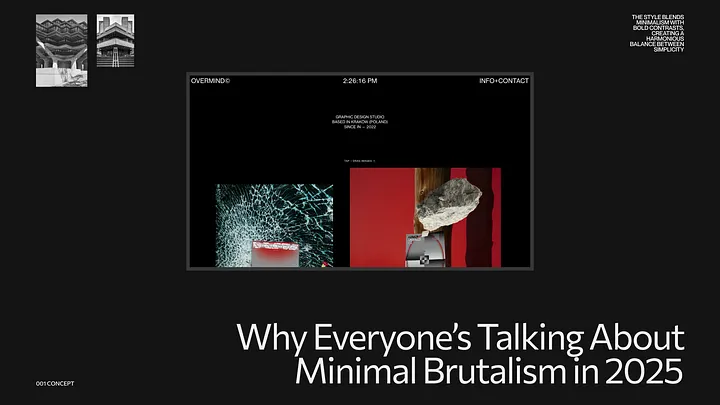
Why Everyone’s Talking About Minimal Brutalism in 2025

How a Rebellious Design Trend Is Giving Edge to AI and Web3 Products

The New Face of Digital Aesthetics

Minimal brutalism is everywhere in 2025 — from startups and creative agencies to personal portfolios and SaaS dashboards. It’s bold, unapologetic, and somehow… still clean.

If you’ve ever seen a site with massive fonts, harsh grid lines, unexpected color choices, and almost too simple of a layout — that’s minimal brutalism at work. It’s not just a trend — it’s a rebellion. And like any good rebellion, it’s rooted in something deeper.

What Is Minimal Brutalism?

Minimal brutalism is the collision of two worlds:

  • Brutalism, inspired by the raw honesty of architecture from the mid-20th century — think exposed concrete, hard angles, and functionality over form.
  • Minimalism, focused on clarity, whitespace, and reduction to essentials.

Together, they form an aesthetic that says: “We don’t need decoration. We need design that does its job.”

It’s about showing the grid. Letting buttons feel like buttons. Breaking visual hierarchy intentionally — but never randomly.

Why It’s Gaining Momentum in 2025

1. Post-AI Visual Fatigue
As generative AI floods the internet with polished, perfect, and soulless designs, minimal brutalism cuts through with honesty and imperfection. It feels real in a sea of fake.

2. Short Attention, High Impact
Bold type, harsh contrast, and deliberate spacing demand attention. These layouts aren’t pretty — they’re effective. That’s what today’s overstimulated user needs.

3. Gen Z’s Influence
This generation grew up with chaos. They don’t need harmony — they need personality. Minimal brutalism speaks their language: “We’re not here to please. We’re here to say something.”

4. A Natural Fit for AI and Web3 Products
Minimal brutalism’s raw, transparent aesthetic aligns perfectly with the principles of AI and Web3 — where openness, decentralization, and functional clarity are valued. For AI products, it strips away the artificial polish and showcases core capabilities. For Web3 interfaces, it visually mirrors the transparent, trustless architecture underneath. It’s not about making tech look sexy — it’s about making it feel real, tangible, and user-controlled. In these emerging fields, minimal brutalism doesn’t distract — it grounds.

The Core Ingredients of Minimal Brutalism

  • Massive typography. Often grotesque or monospace fonts, uncomfortably large.
  • Intentional asymmetry. Layouts that feel slightly off, on purpose.
  • Visible grids and borders. Nothing is hidden — structure is part of the design.
  • Minimal color palettes. Usually 1–2 accent colors with lots of white or black.
  • Zero gradients or shadows. Pure, raw elements.
  • Deliberately “unpolished” details. Scrollbars, default buttons, rough edges.

When to Use It (And When Not To)

Use it if:

  • You want to stand out in a saturated market.
  • Your brand is bold, experimental, or anti-corporate.
  • You’re targeting creatives, Gen Z, or indie audiences.
  • You’re building a product in AI, Web3, or any cutting-edge space.

Avoid it if:

  • You work in finance, healthcare, or highly regulated industries.
  • You need to convey trust, tradition, or luxury.
  • Your audience expects “smooth and refined” interfaces.

Minimal brutalism is not for everyone — and that’s the point.

How to Make It Work (Without Just Copying It)

  • Start with purpose. Don’t just slap a brutalist font on your site. Ask: what message are we sending? What are we rebelling against?
  • Design around functionality. Every element should have a reason to exist — not just to look cool.
  • Test real usability. Brutalist doesn’t mean broken. You still need clarity, flow, and responsiveness.
  • Blend with your brand. You can use brutalist principles in typography or layout while keeping your color palette or imagery consistent with your identity.

Final Thought: It’s Not Just a Style, It’s a Statement

Minimal brutalism isn’t just about how it looks — it’s about what it says:
“Design doesn’t have to be safe to be effective.”

In a world where design is becoming algorithmic, predictable, and polished to perfection, minimal brutalism reminds us of the power of human-made, opinionated, and imperfect work.

If you want your product to feel like something real — maybe it’s time to break the grid.

How AI Agents Are Quietly Replacing Freelancers: Should We Be Worried?

In recent years, artificial intelligence has evolved from a futuristic concept into a real, daily tool for businesses and creators. But while tools like ChatGPT, Midjourney, and ElevenLabs have empowered individuals to do more with less, the emergence of autonomous AI agents is quietly reshaping the landscape of freelance work — without many noticing.

From Assistants to Executors

At first, AI was a productivity booster — something that helped freelancers write faster, edit images, generate code snippets, or brainstorm ideas. Now, it’s becoming something else entirely: a self-operating unit. With the rise of agent-based platforms like AutoGPT, AgentGPT, and OpenDevin, AI no longer waits for step-by-step instructions. It initiates tasks, performs research, builds workflows, and even executes actions across platforms.

In short: the AI no longer assists the freelancer. It becomes the freelancer.

The Silent Disruption

This shift is not loud. There’s no big media campaign announcing it. But it’s happening. Startups are using AI agents to:

  • Draft and schedule social media content
  • Write and publish blog posts
  • Generate and A/B test ads
  • Research competitors and suggest strategy
  • Build landing pages using no-code + AI combos
  • Offer customer support via AI-powered chat

These tasks once made up a significant portion of freelance income. Now, they can be completed at a fraction of the cost and time — by machines.

What’s Driving the Transition?

  1. Speed & Scale — AI can execute work faster than any human and scale it instantly.
  2. Cost Efficiency — A one-time subscription or API call replaces ongoing human billing.
  3. 24/7 Availability — Agents don’t sleep or miss deadlines.
  4. Improved Interfaces — Plug-and-play tools are making AI agents more accessible to non-technical users.

But Are They Really Replacing Humans?

Yes — and no.

While AI agents are becoming capable of doing much of the execution work, they still lack context, empathy, and strategic depth. Freelancers who think, interpret, and create nuance still bring irreplaceable value. However, those offering purely executional work — basic copywriting, template design, surface-level research — are seeing the most impact.

The Freelancer’s New Role

Rather than competing with AI agents, freelancers can:

  • Offer AI + Human hybrid services (e.g., AI-enhanced copywriting with human storytelling)
  • Specialize in AI integration for clients
  • Focus on strategy and creative direction, where human insight still reigns
  • Educate clients on when AI is useful — and when it’s risky

Should We Be Worried?

Yes — if you’re ignoring the shift.
No — if you’re evolving with it.

Just like stock photography changed design, and Canva changed content creation, AI agents are the next tool redefining freelance work. The key is not to fight automation, but to position yourself where the human touch still matters most — and build from there.

Final Thought

The AI agent era isn’t about replacing people. It’s about replacing processes. Freelancers who understand this — and learn how to work with AI rather than against it — won’t just survive. They’ll thrive.

At U1CORE, we create bold, intelligent designs tailored to your product’s unique needs — by combining human insight with future-forward thinking. If you’re building something big, we’re here to make it look and feel just right.